
App Workspace
Learn the ZeroTrace Proxy dashboard, sidebar, tables, task builders, and shared actions.
The workspace is organized around a sidebar and task-focused pages.
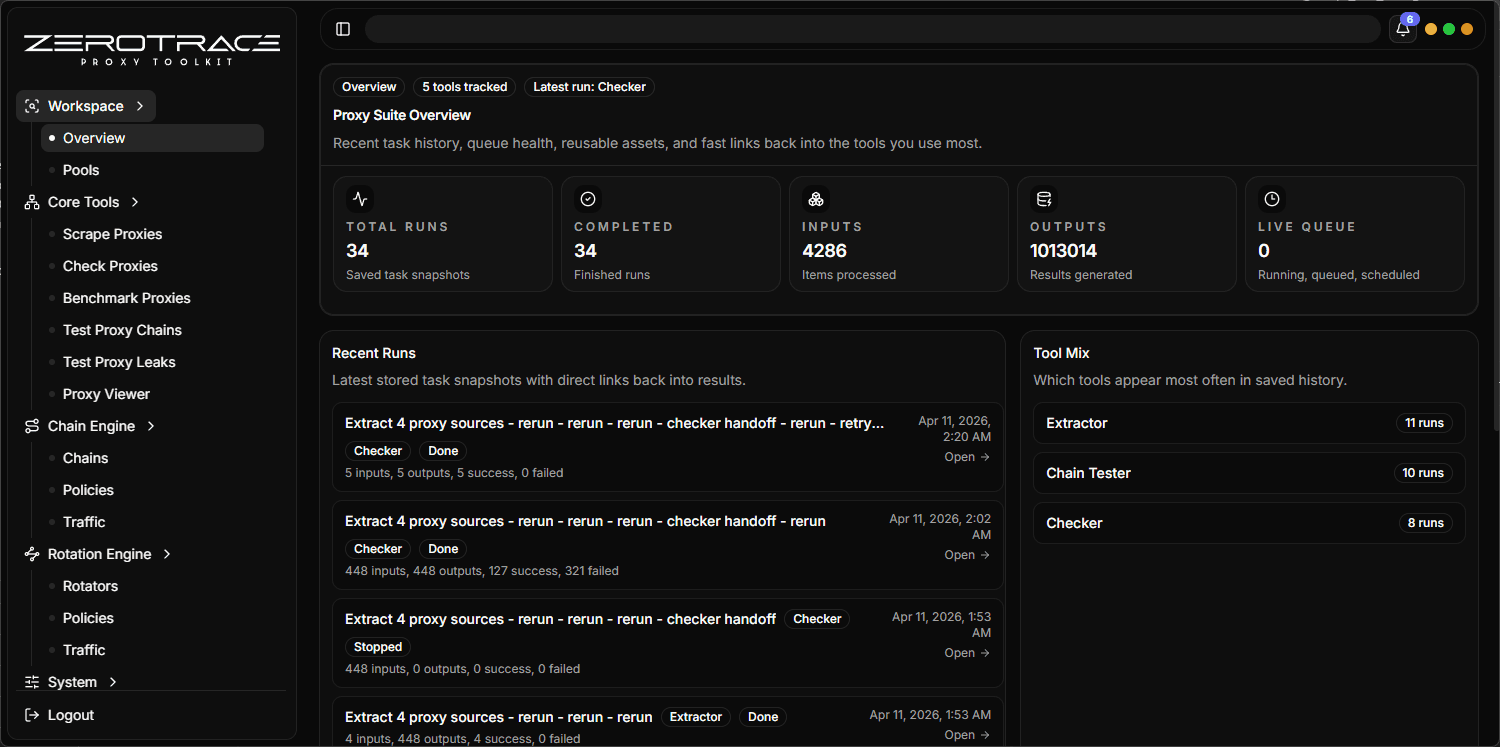
Sidebar Areas
| Area | Pages |
|---|---|
| Workspace | Overview, Pools |
| Core Tools | Scrape Proxies, Check Proxies, Benchmark Proxies, Test Proxy Chains, Test Proxy Leaks, Proxy Viewer |
| Chain Engine | Chains, Policies, Traffic |
| Rotation Engine | Rotators, Policies, Traffic |
| System | Settings |
Dashboard
The dashboard gives a quick view of:
- total runs
- completed runs
- input and output counts
- live queue state
- recent runs
- tool mix
- workspace library status
- links back to task pages
Shared Tables
Result tables support:
- search
- sorting
- column hiding
- column visibility menu
- pagination
- row selection
- virtualized rows for larger result sets
- remembered table preferences through local storage
- visible data callbacks for handoff actions
- selected data callbacks for row-driven actions
- deferred search so typing does not immediately churn large tables
Shared Task Builder
Most task pages include:
- task name
- notes
- tags
- start now, queue, or schedule
- single, many, file, or pool input mode where supported
- timeout and concurrency controls
- protocol hint where relevant
- User-Agent controls
- expected status code controls
Tiny UX Details
| Area | Detail |
|---|---|
| Sidebar | Workspace, Core Tools, Chain Engine, Rotation Engine, and System groups keep one-off tools separate from long-running runtime engines. |
| Overview | Shows total runs, completed runs, inputs, outputs, live queue, recent runs, tool mix, pool/profile status, and latest run links. |
| Table columns | Per-column sort menu and hide-column controls let you build narrow review views. |
| Local memory | Table settings persist by storage key in localStorage. |
| Insights | Core pages include insight panels for yield, duplicate pressure, live percentage, HTTPS percentage, stability, leak cleanliness, or chain quality depending on the tool. |
Handoffs
Core tools can send result rows into the next workflow step.
| Handoff | Example |
|---|---|
| Selected rows | Send hand-picked alive proxies to Benchmark. |
| Visible rows | Filter by country or quality, then send only the visible rows. |
| Ready rows | Send all rows that are appropriate for the next tool. |
Use filters before handoff. For example, filter Check Proxies to alive HTTPS rows, then send visible rows to Benchmark Proxies.