
Core Tools
Proxy Checker
Detect whether proxies are alive and classify protocol, quality, anonymity, location, and network type.
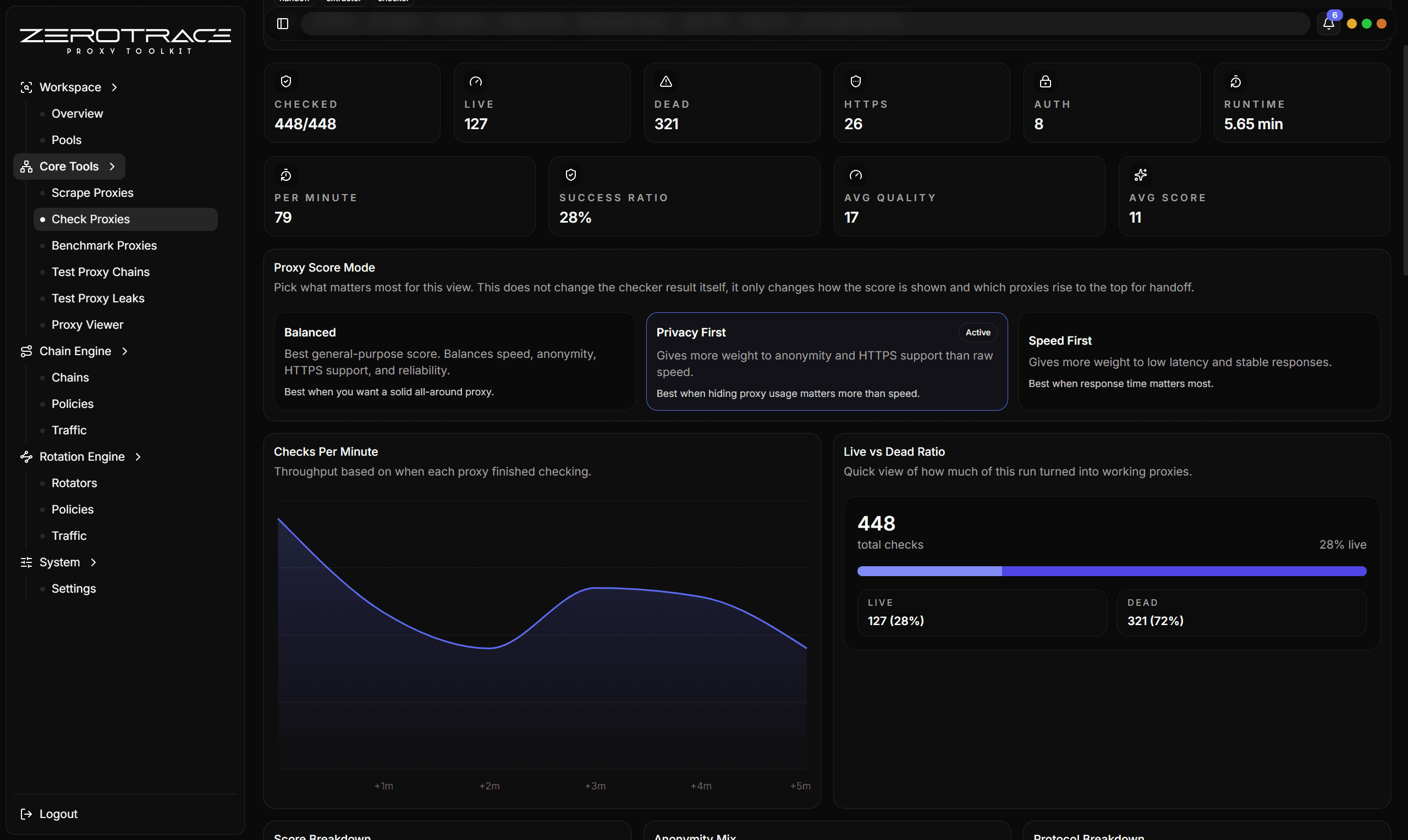
Proxy Checker validates candidate proxies and turns a raw list into a decision-ready table.
Inputs
- single proxy
- many proxies
- file
- saved pool
- handoff rows from extractor or another tool
Important Controls
| Control | Recommendation |
|---|---|
| Protocol hint | Use Auto unless you already know every proxy is HTTP or SOCKS. |
| HTTPS check | Keep enabled when you care about HTTPS-capable clients. |
| Resolve country | Enable for country, city, ASN, ISP, organization, and network type. |
| Expected status codes | Use 200 for simple availability or add target-specific success codes. |
| Request URL | Keep default for general checks; use your target URL for target-specific validation. |
| Timeout | Start around 10 to 20 seconds, then reduce after learning source quality. |
| Random User-Agent | Useful when sources or targets treat generic clients differently. |
Protocol Detection
If a proxy has no scheme, ZeroTrace Proxy tries likely protocols. SOCKS-like ports such as 1080, 1081, 9050, and 9051 try SOCKS candidates first. Other ports try HTTP first.
Supported normalized schemes include HTTP, HTTPS, SOCKS4, SOCKS4a, SOCKS5, and SOCKS5h.
Result Fields
| Field | Meaning |
|---|---|
| Status | Alive or dead for the configured probe. |
| Detected protocol | The protocol that worked. |
| Quality score | 0 to 100 score based on latency, HTTPS, anonymity, and auth. |
| Quality | High, medium, low, or poor. |
| Anonymity | Elite, anonymous, transparent, or unknown. |
| Supports HTTP/HTTPS | Which probe families worked. |
| Exit IP | Public IP observed through the proxy. |
| Network type | Residential, mobile, datacenter, or unknown. |
| ASN/ISP/Organization | Enrichment data for the exit IP. |
How To Interpret Quality
| Label | Practical meaning |
|---|---|
| High | Strong candidate for benchmarking or pool use. |
| Medium | Usable but should be benchmarked and leak-tested. |
| Low | Keep only if source scarcity matters. |
| Poor | Usually remove unless investigating a source problem. |
Details That Matter
| Feature | Detail |
|---|---|
| Scheme normalization | HTTP, HTTPS, SOCKS4, SOCKS4a, SOCKS5, and SOCKS5h are normalized for checking. |
| Port-aware probing | SOCKS-like ports try SOCKS first; other ports try HTTP first when the scheme is missing. |
| Dual probe mode | HTTP and HTTPS probes run unless HTTPS checking is disabled. |
| Expected status list | You can require one code or a list of accepted status codes for target-specific validation. |
| Auth signal | Distinguishes configured credentials, proxy auth challenge, and no-auth responses. |
| Anonymity signals | Uses forwarding headers such as Via, X-Forwarded-For, and Forwarded. |
| IP enrichment | Uses IP enrichment with fallback lookup and a cache for location/network metadata. |
| Network type | Classifies residential, mobile, datacenter, or unknown using provider flags, ASN/company type, ISP, organization, and domain hints. |
| Score ingredients | Anonymity, HTTPS support, latency, and authentication shape contribute to the 0 to 100 score. |
| Result memory | Checked timestamp, raw and normalized proxy, exit IP, location, ASN, ISP, organization, error, and support flags stay with the row. |
Transparent proxies can expose forwarding headers. Send serious candidates to Test Proxy Leaks before using them in sensitive workflows.
Best Next Steps
- Send alive rows to Benchmark Proxies.
- Send promising rows to Test Proxy Leaks.
- Save filtered rows to a pool for later rotation.
- Use Proxy Viewer to inspect one suspicious candidate in detail.