
Proxy Extractor
Extract proxies from text, files, URLs, HTML, and JSON sources.
Proxy Extractor is the entry point for messy sources. It fetches or reads source material, parses possible proxy candidates, normalizes formats, dedupes results, and gives per-source extraction metrics.
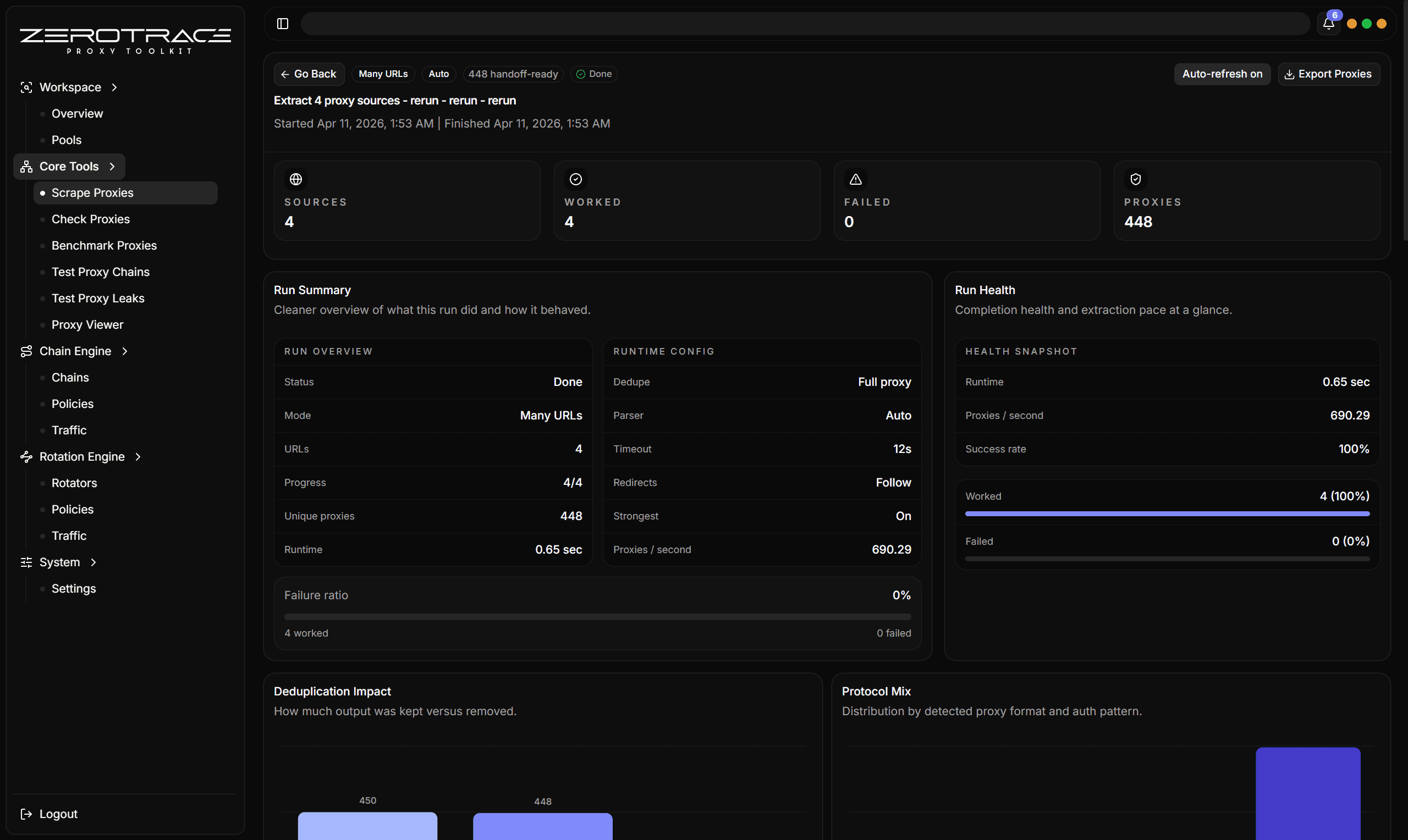
Input Modes
Use one URL or source. This is best when testing a new source before adding it to a larger workflow.
Paste multiple URLs or sources. This is best for a known group of source feeds.
Load sources from a local text file. This is best when maintaining source lists outside the app.
Use cloud proxy sources returned from ZeroTrace Server. This is best when you want managed ZeroTrace source discovery.
Parser Profiles
| Profile | Use when |
|---|---|
| Auto | You are not sure whether the source is text, HTML, or JSON. |
| Plain text | The source is a raw list or text blob. |
| HTML | The source is a web page, table, code block, list, or page with useful attributes. |
| JSON | The source is an API response, feed, or structured JSON object list. |
HTML Extraction
HTML mode can use a custom selector and can also extract from common structures such as:
- tables
pre,code, andtextarea- ordered and unordered lists
data-ip,data-host,data-proxy, anddata-addressattributes- scripts that look like JSON or contain proxy-like values
JSON Extraction
JSON mode supports simple JSON path selection:
data.items[*]
data.items[*].proxy
sources[0].proxies[*]
It can also infer proxy-shaped objects from fields such as host, hostname, ip, address, server, port, scheme, protocol, username, user, password, and pass.
Dedupe Modes
| Mode | Keeps separate rows when |
|---|---|
| Full | The full normalized proxy string differs. |
| Host + port | The endpoint differs, regardless of scheme or auth. |
| Host | The host differs, regardless of port, scheme, or auth. |
Use Prefer strongest when you want dedupe to keep the strongest variant for the same dedupe key.
Metrics To Review
| Metric | What it tells you |
|---|---|
| HTTP status | Whether the source loaded successfully. |
| Parser used | Which parser actually produced output. |
| Candidate count | How many proxy-like values were found before final cleanup. |
| Duplicate count | How noisy the source was. |
| Proxy count | How many normalized proxies survived extraction. |
| Error | Fetch, parsing, selector, or source-specific failure. |
Details That Matter
| Feature | Detail |
|---|---|
| Source fetch | Concurrency, timeout, redirects, random User-Agent, custom User-Agent, headers, and cookies. |
| Cloud source mode | Uses cloud proxy sources. |
| Response handling | Supports gzip, zlib, and deflate-style response bodies with an extraction body cap around 4 MiB. |
| Auto fallback | Auto parser can try JSON, HTML, and plain text fallbacks when the first route produces no proxies. |
| JSON object inference | Finds proxy objects split across host/port/scheme/user/pass fields. |
| HTML table handling | Reads table rows, cells, child elements, page text, useful attributes, and script-like blocks. |
| Scheme cleanup | Normalizes malformed scheme variants and recognizes HTTP, HTTPS, SOCKS4, SOCKS4a, SOCKS5, and SOCKS5h. |
| Endpoint validation | Accepts IPv4, IPv6, domains, localhost, and ports from 1 to 65535. |
| Dedupe strategy | Full proxy, host + port, host only, and prefer-strongest are separate cleanup decisions. |
| Per-source diagnostics | Status, duration, content type, response bytes, parser used, scope count, candidates, duplicates, proxy count, and errors. |
If Auto gives weak results on a known HTML table, rerun with HTML mode and a selector such as table tbody tr.