
Workspace
Proxy Pools
Save, merge, tag, and reuse proxy collections across tools and runtimes.
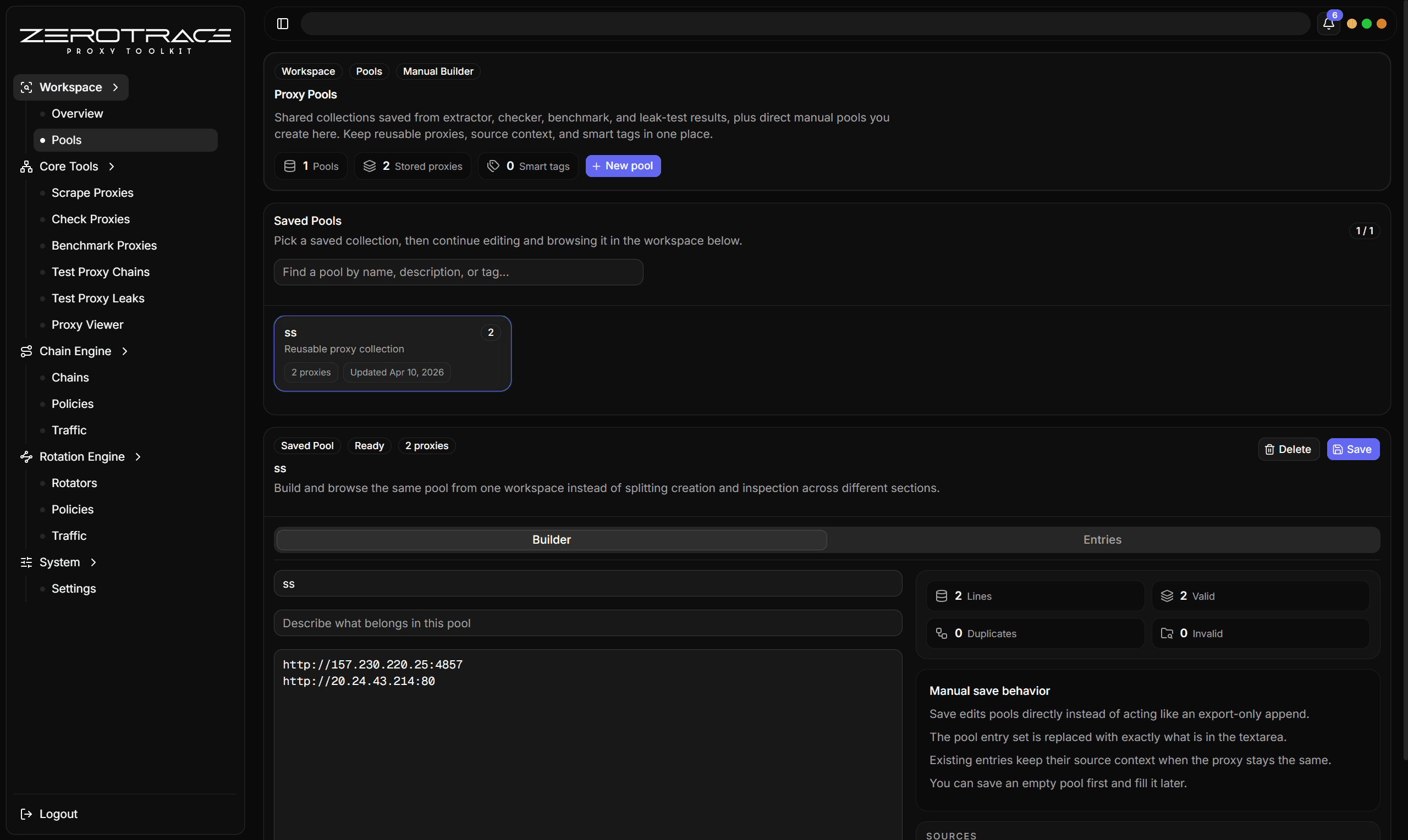
Proxy pools are reusable collections of proxy entries. They are the main way to turn one-off task results into repeatable workflows.
What a Pool Stores
| Field | Meaning |
|---|---|
| Name | Human-readable pool name. |
| Description | Optional context for the pool. |
| Entries | Saved proxy strings. |
| Tags | Lowercase labels for filtering and workflow stage. |
| Source tool | Tool that created the entry. |
| Source task | Task ID and task name where the entry came from. |
| Added at | Timestamp for entry creation or merge freshness. |
Pools are capped at 100 saved pools.
Save Modes
| Mode | Use when |
|---|---|
| Create new | Building a new candidate set or final list. |
| Save to existing | Adding results into an established pool. |
| Merge | Preserving existing entries while adding new rows. |
| Replace | Rebuilding a pool from a known-clean current result set. |
Dedupe and Tags
ZeroTrace Proxy dedupes pool entries by exact proxy string. When an incoming proxy already exists, it merges useful metadata and tags instead of creating a duplicate row.
Tiny merge behaviors:
- tags normalize to lowercase
- tags dedupe and sort
- source metadata merges when entries collide
- newest added timestamp is kept during merge
- legacy single-file pool storage can migrate into the index/detail format
- orphaned pool detail files can be trimmed
Recommended tag families:
| Tag type | Examples |
|---|---|
| Workflow | checked, benchmarked, leak-clean |
| Protocol | http, https, socks5 |
| Quality | high, stable, low-latency |
| Source | cloud, html-source, manual |
| Use case | rotation, chain, export |
Maintenance Routine
- Re-check older pools before using them.
- Benchmark pools that will feed rotators.
- Leak-test pools that will be exported or used for anonymity-sensitive work.
- Remove repeatedly dead, leaked, or unstable entries.
- Keep final pools separate from raw or experimental pools.
Use separate pools for workflow stages. For example: raw extracted, checked alive, benchmark winners, and leak clean.